Telecommunications
Browser-based call center operator console serving 100,000+ callers
We joined a running project, took over development, support and maintenance of a console used in hospitals, and ran them for more than 5 years
Support and maintenance
5+ years
Who we worked with
IT services company selling unified communications software
Our client is an IT services company that sells its own unified communications software, and many of the operators who use its console work in hospitals. The console project had already started, and the client needed a team to take it over.
What we did
Taking over a console mid-project
Joining a project already under way
From the day we joined, the console's development, support and maintenance were ours, along with every release package.
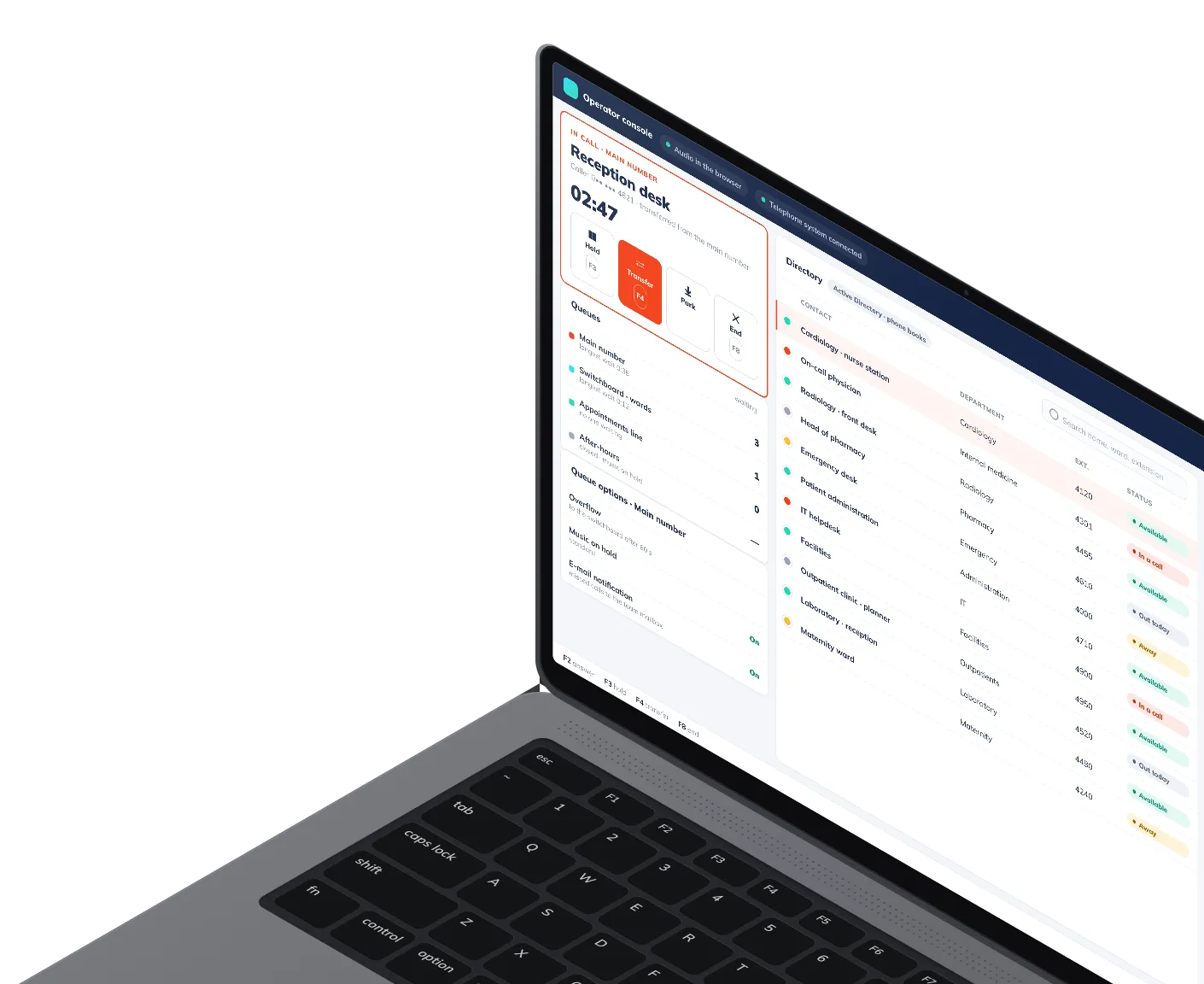
One screen for the call and everything around it
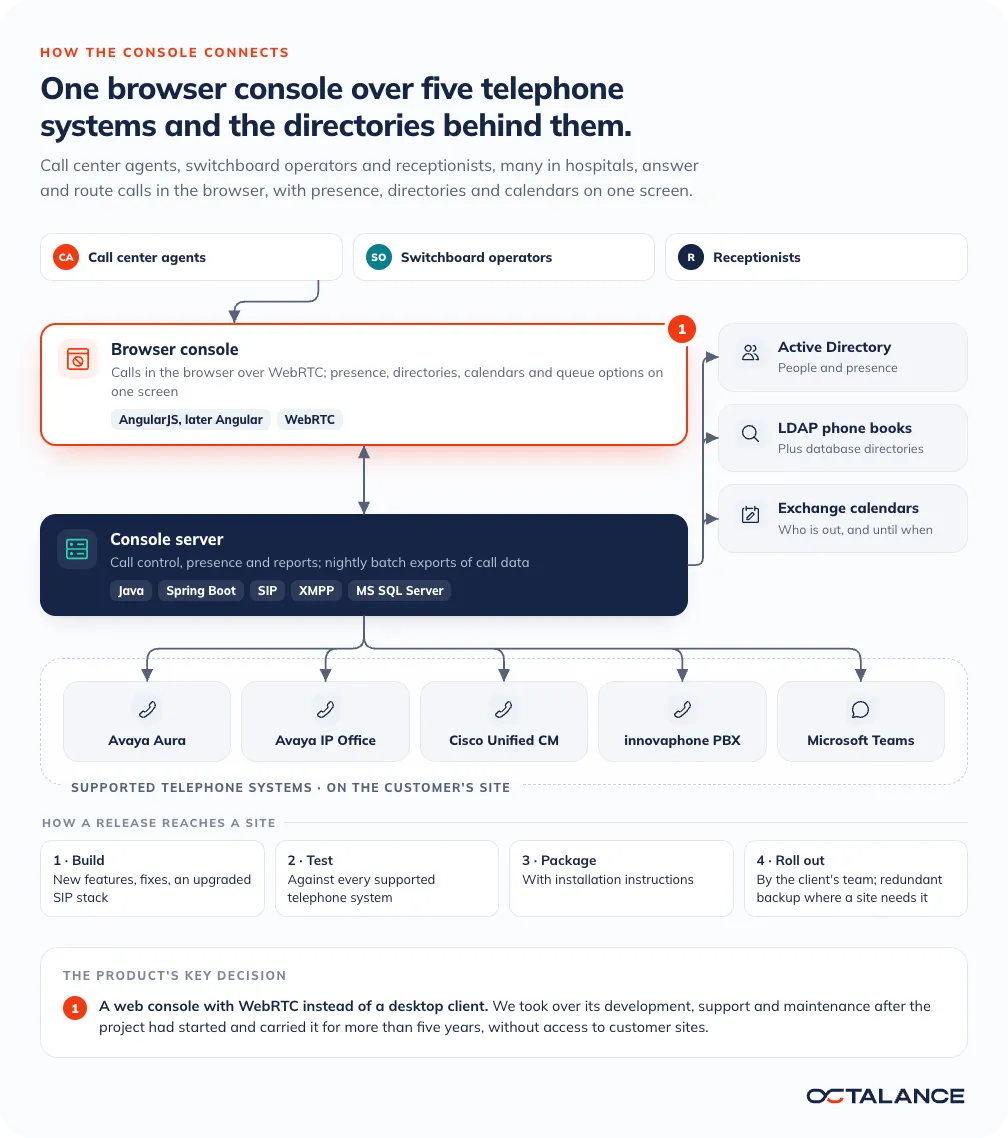
Call center agents, switchboard operators and receptionists answer and route calls in the browser. Behind the screen sit Avaya Aura, Avaya IP Office, Cisco Unified CM, innovaphone PBX or Microsoft Teams, depending on the site. Presence, Active Directory and database directories, Exchange calendars and operator reports sit beside the call. Before a transfer, the operator can see who is free and who is out today.
What we added over the years
We added calling in the browser over WebRTC, phone books read over LDAP and nightly batch exports of call data, and upgraded the SIP stack, with performance work and bug fixes alongside. Later the front end moved from AngularJS to Angular, in a migration of its own.
What the console covers
100,000+
Callers served through the console
5
Telephone systems supported
How the work reached customers
Shipping to sites we never saw
The console runs at the client's customer sites, in front of whichever telephone system each one uses, one of the five we supported.
Why the console lives in a browser
The product was built as a web console instead of a desktop client. An update to a browser console is a server release, with nothing to install on each operator's desk. The Java and Spring Boot server under it is where the telephone systems, the directories and the calendars meet.
Releases that had to work the first time
Each release went out as a package with installation instructions, and the client's team rolled it out. The hardest one carried calling in the browser over WebRTC. Audio and the connection had to work on all five telephone systems, and we could not check it at a customer site ourselves, so the package was tested on each of them before it shipped.
Support hours on this project
On this project, a fault reported in working hours got an immediate response, and one reported after hours was the first job the next morning. At weekends we responded during the day, and anything later moved to Monday. Nights were never part of the arrangement. Sites that need it run a redundant backup system.
The stack
Java, Spring Boot and five telephone systems
Java
Spring Boot
AngularJS, later Angular
SIP
XMPP
WebRTC
Avaya Aura
Avaya IP Office
Cisco Unified CM
innovaphone PBX
Microsoft Teams
Active Directory
LDAP
Exchange
Windows Server
MS SQL Server
Inherited a product your customers already run?
Tell us what the product runs on and how releases reach your customers. We reply to every inquiry within 24 hours.

Case studies