Sport
Coaches reach any tagged match moment in seconds, with up to 75% less time searching
Staff tag key moments on an iPad while the match video streams from a Mac, and projects sync across devices.
Custom software development
Who we worked with
Football company
Its coaches build each game plan from match video, and they wanted software that would let them analyze a game quickly and act on what was happening on the field.
What we did
Four Swift apps on one Java and Spring backend
Match video, reviewed by hand
Every new game plan started with someone scrubbing through match video by hand, looking for the moments worth discussing. It ate staff hours and still missed details, so the analysis didn't always improve the plan.
Live or on demand
The match video reaches the coaches live or on demand, so they can act on what they see during play.
One app per job, and one backend under all four
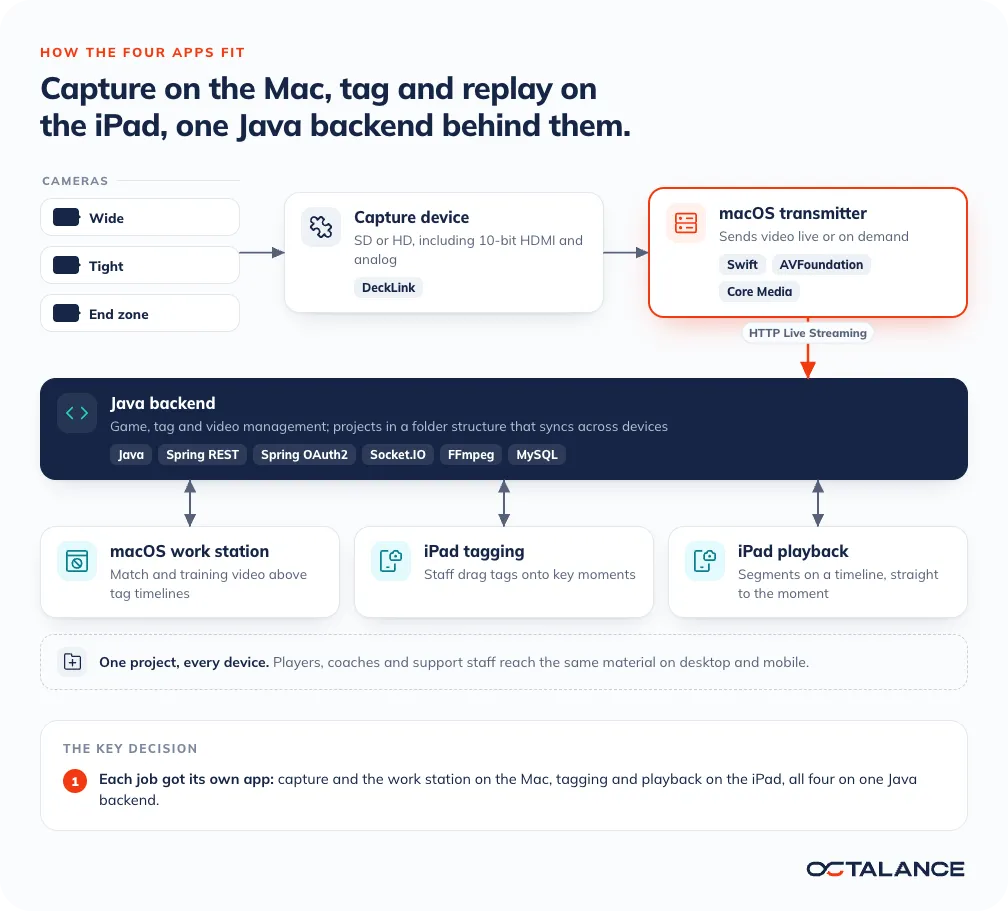
One app for every device would have had to drive capture hardware, a touch timeline and a desk workflow at once, and do each of them worse. So each job got its own native Apple app. Capture and the work station run on the Mac, where the capture device plugs in and the work station has a big screen. Tagging and playback run on the iPad, a device a coach can hold. All four share one Java backend, so a tag made on one device is the same tag on the others.
How the system fits together
From camera to coach in four apps
Follow one match through the system, from the camera to the coach's timeline.
macOS transmitter
Camera video comes in through a capture device, SD or HD, including 10-bit HDMI and analog, over the DeckLink framework. The transmitter serves it live or on demand to iPads and Macs over HTTP Live Streaming, which Apple devices play natively, so the iPads need no extra player to follow the match.
iPad tagging and playback
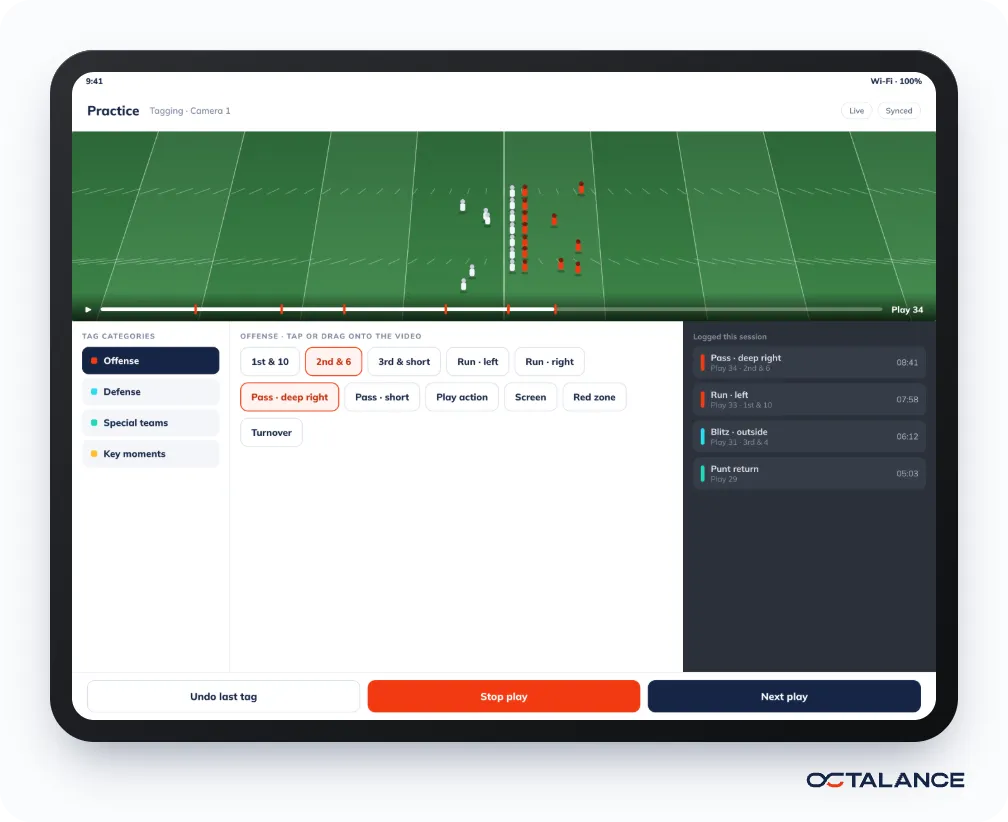
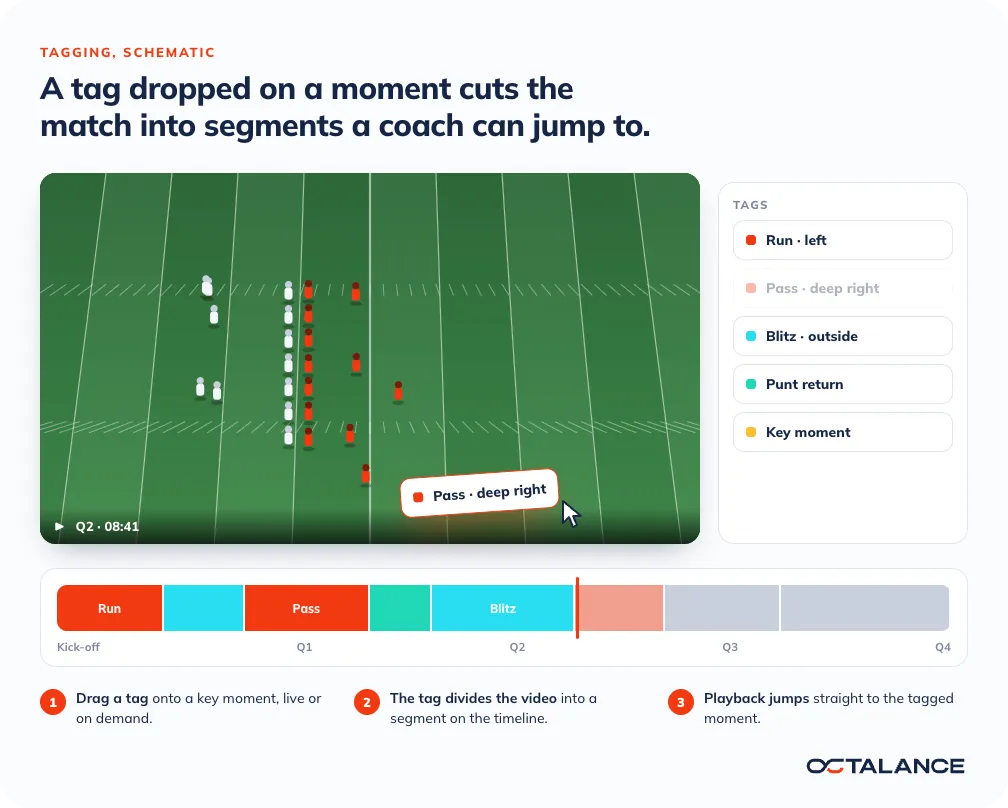
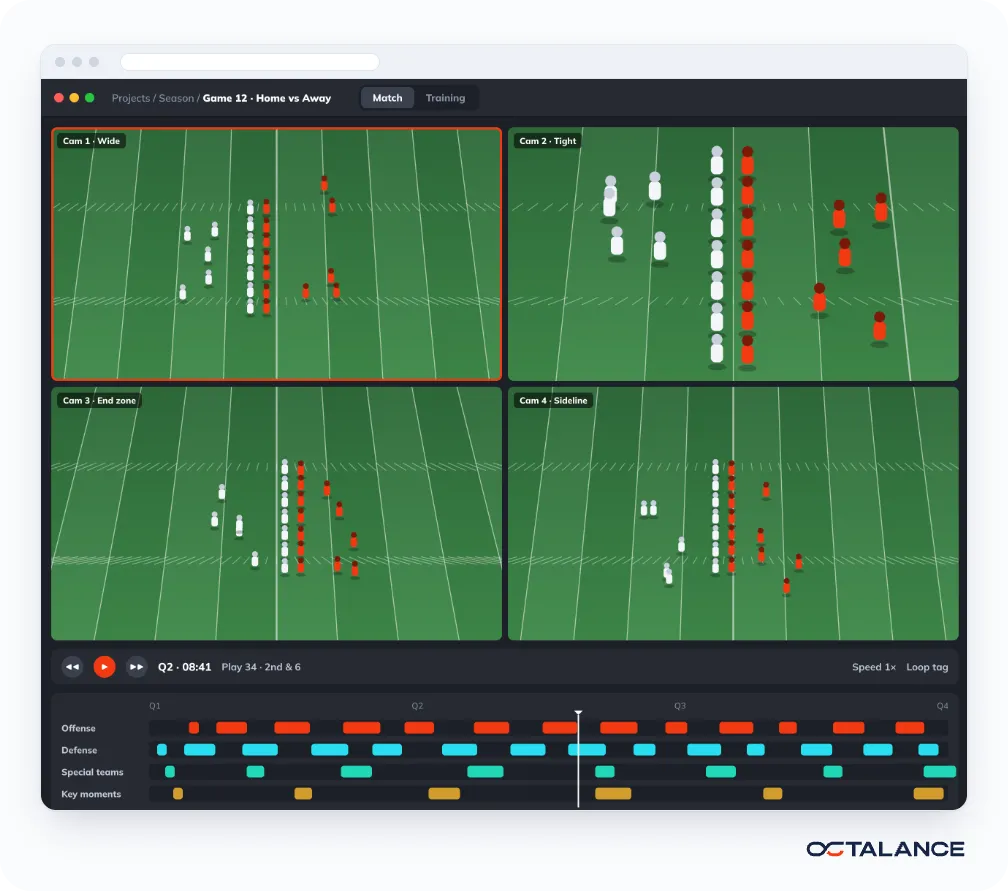
In the tagging app, staff drag a tag onto a key moment, and each tag divides the video into segments. The playback app's timeline shows those segments, and each one takes the coach straight to the moment.
macOS work station
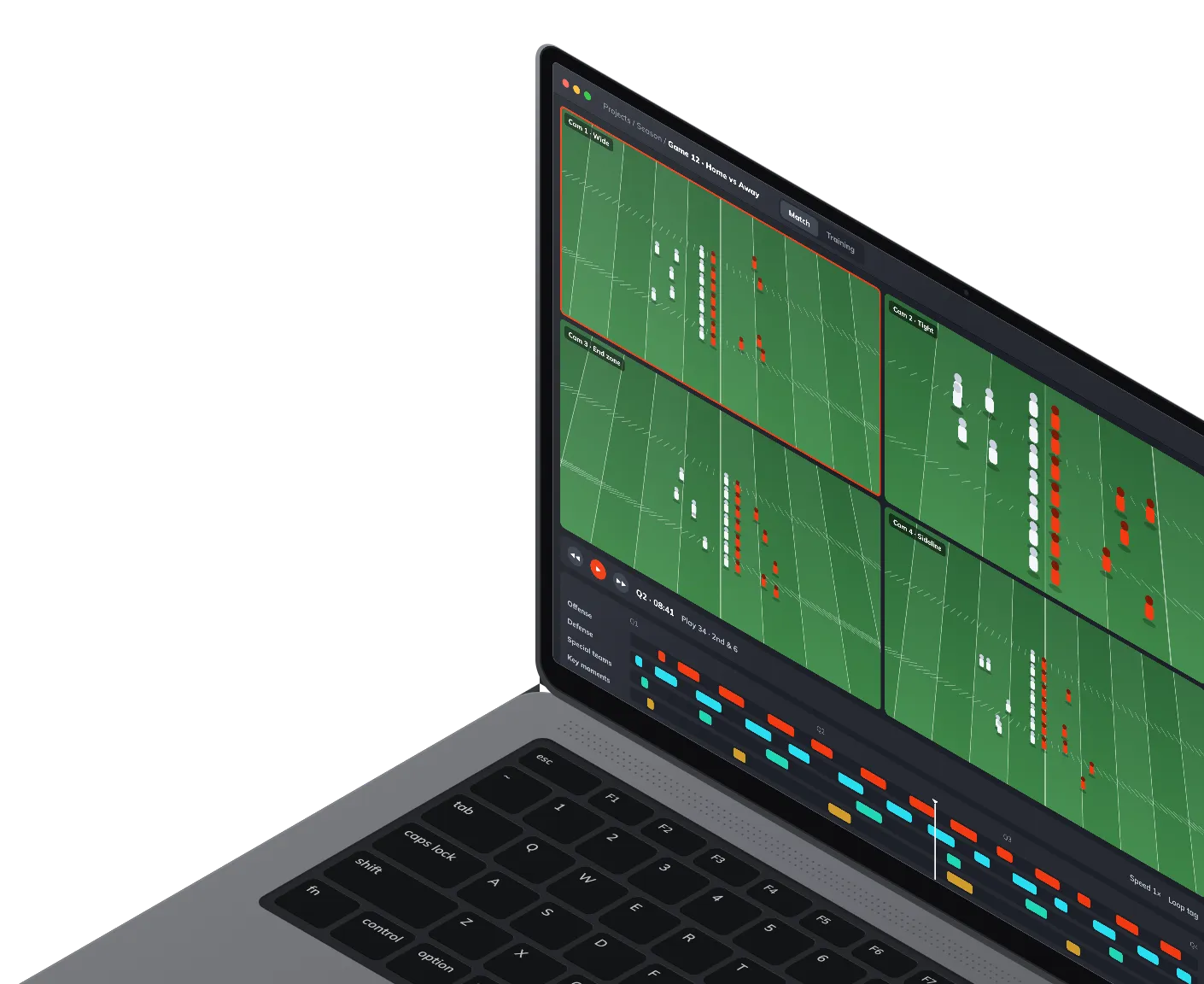
The work station shows the match video with its tag timelines underneath, and sources, library and tags in a side panel. Matches and training sessions open in their own tabs.
Java backend
All four apps talk to it, and between them they cover game, tag and video management. Projects sit in a folder structure, and players, coaches and support staff reach the same material on desktop and mobile.
The project in numbers
Up to 75%
Less time searching for key moments
8
People on the project team
~1 year
Project duration
Footage your staff still rewind by hand?
Tell us what gets recorded, who needs to find what in it, and on which devices. We reply to every inquiry within 24 hours.

Case studies